 Worldview Lens
 Chrome extension
See the worldview behind any text.
Worldview Lens reads the developmental stage a post, thread, article, PDF or book is written from. It explains each stage in plain language and rephrases a passage so people at another stage can hear it.
No account or API keys needed. Free every day; Plus when you want more.
An instrument, not a chatbot
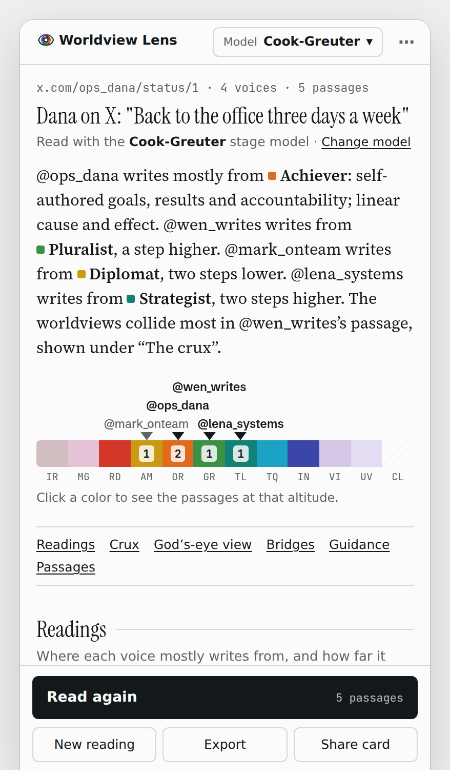
Open the side panel next to what you are reading and press Read this page. Each voice gets a center of gravity, a range and a confidence, on one altitude map.
See where each voice is coming from
X, LinkedIn and Facebook threads, Basecamp chats and pasted chat transcripts (WhatsApp, Slack, Teams or Name: message) are read speaker by speaker, with a plain-language summary and every person marked on one map, so you can see who is talking past whom.
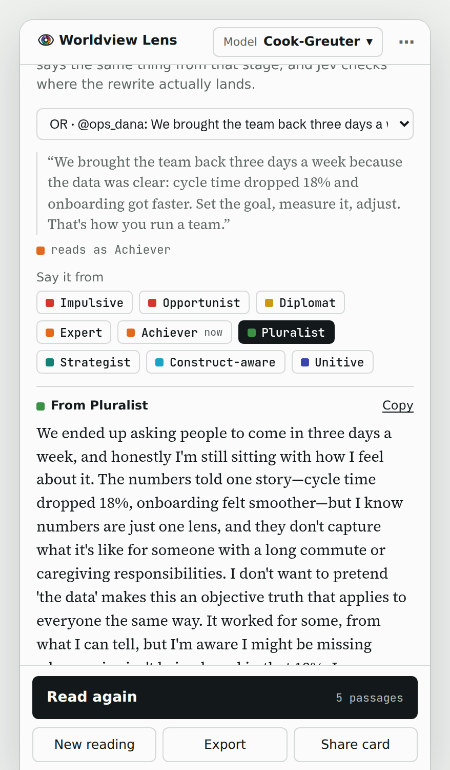
Say it so they can hear it
Rephrase any passage from any stage, lower or higher. The rewrite is scored again, so you see where it actually lands.
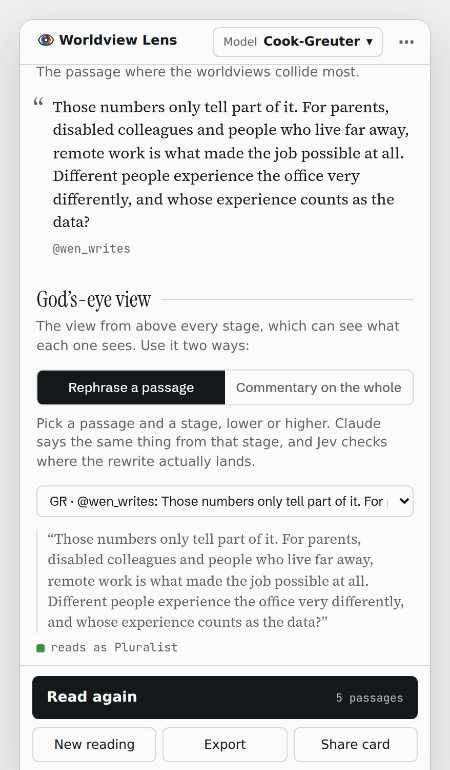
Find the crux, build the bridge
It picks the passage where the worldviews collide, says what each side is protecting, and suggests how to say it so the other side can hear.
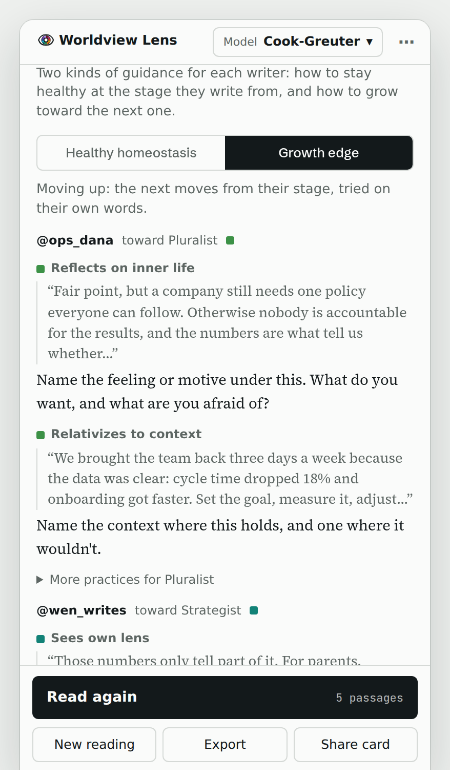
Guidance in their own words
What the writer already does well at their stage, and the next move up, quoted from what they actually wrote.
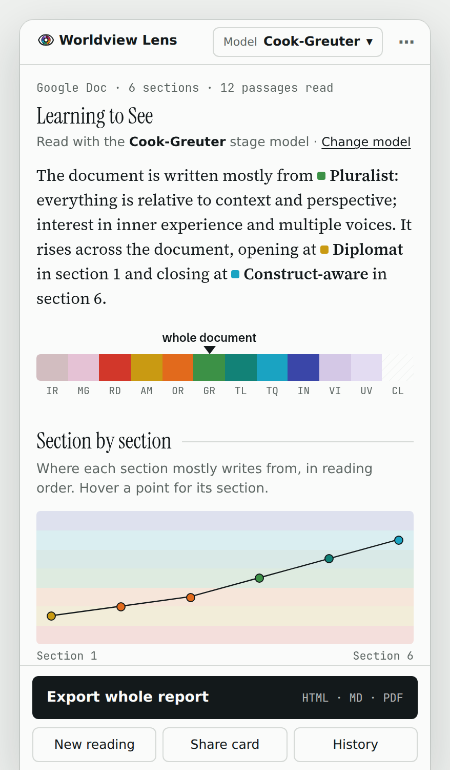
Whole books and documents
Drop in a PDF, open a Google Doc or your Kindle highlights, and see the arc chapter by chapter.
The models practitioners use
Pick the lens you know. Every model shares one altitude scale, so readings compare across them.
An approximate, AI-based reading of text, not an assessment of any person and not a validated psychometric instrument. Hold it lightly.
How it scores
No black box. Every passage is asked a set of typed questions (is there anything to read, is it satire, which stage is it written from, which structural signs are present) using written definitions of every stage, and the answers are combined with plain arithmetic. On a benchmark of 298 deliberately tricky passages across all nine models, readings land on the exact stage 94–100% of the time and within one stage at least 98% of the time, and that check re-runs every week.
See how scoring works →Pricing
- 100 passage reads a day
- 30 Claude writes a month (rephrasings and commentaries)
- No account needed
- 300 passage reads a day
- 150 Claude writes a month
- Follows you to every computer you sign in on
- 1,000 passage reads a day
- 600 Claude writes a month
- For coaches, facilitators and researchers who read a lot
You'll sign in with Google first, so your plan is tied to your Google account: sign in to the extension with the same account and it's on, on every computer. You can also upgrade from the extension's settings, and switch between Plus and Coach any time (prorated). Cancel any time; you keep your plan until the end of the period you paid for. Payments are handled by Stripe.